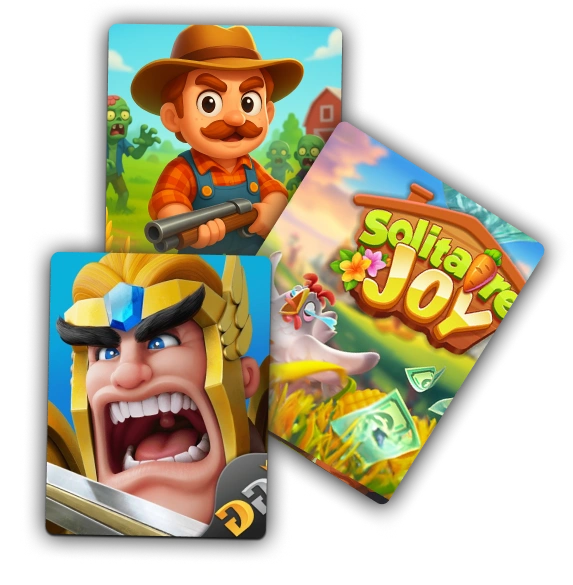
You get paid on EarnStar by cashing out your balance, and PayPal and gift cards are the two most popular ways to take it. Your first cash-out unlocks at $20 and every one after that is available from $5, payouts are processed quickly, and the app is free to use.
This guide is about getting your EarnStar earnings out. It walks through the two most-used cash-out methods and how to choose, the step-by-step withdrawal flow inside the app, what shapes how long a payout takes, and the quickest fixes when one is held or pending.
How EarnStar payouts work
Payouts on EarnStar start with a balance you build by playing games, taking surveys, and completing offers. Gaming is where a lot of that time already goes, with more than 205 million Americans playing video games.
When you're ready, you redeem that balance to the method you choose. Four things shape how the money side works.
- A two-stage minimum. Your first cash-out unlocks at $20, then the bar drops to $5 for every one after.
- PayPal and gift cards. These are the two most popular ways to take your earnings out.
- Processed quickly. Requests are handled fast once your rewards are confirmed.
- Free. There's no fee to join or to cash out.
The $5 you see on signup is a welcome bonus credited to your account, giving your balance a head start toward that first $20 cash-out. Your balance updates as rewards clear, so the cash-out screen always shows what's available to withdraw right now versus what's still being verified.
Because there's no fee, the full balance you redeem is what lands. You can see how the whole setup works when you get started on EarnStar.
Cash-out methods: PayPal and gift cards
PayPal and gift cards are the two ways to get your EarnStar balance out. The right pick comes down to whether you want spendable cash in a wallet or store credit you'll use later.
Getting paid through PayPal
PayPal sends your earnings as cash straight to your PayPal account, ready to spend or move to your bank. Choose it when you want money you can use anywhere, without being tied to one store.
Enter the exact email address tied to your PayPal account when you request the payout. A typo, or an address that doesn't match your PayPal login, is the most common reason a transfer gets held or bounced back.
PayPal is the most-used digital wallet among US adults, used by 71% of them. EarnStar doesn't charge a fee on the transfer, so the amount you redeem is the amount that lands.
Redeeming for gift cards
Gift cards turn your balance into store credit you pick from EarnStar's in-app catalog. Choose this when you'd rather spend at a specific store than move cash around, and the card details arrive in the app so you can use them at checkout.
Gift cards are a payout method people actively want. 77% of US consumers plan to buy gift cards in 2026, and buying them for personal use nearly doubled year over year.
The catalog covers a wide range of retailers, so you can match a card to somewhere you already shop, and EarnStar doesn't take a cut when you redeem. If you like the idea of building a balance toward a specific card, earning gift cards by playing games walks through that path in more detail.
Which method should you pick?
Pick PayPal when you want cash you can spend anywhere or move to your bank. It's the flexible choice, and it suits anyone who'd rather keep the money liquid.
Choose a gift card when you already know where you'll spend, or when you don't want to use a PayPal account. Store credit for a retailer you shop at regularly gives you the same value without the wallet step.
Neither locks you in. You can pick PayPal one time and a gift card the next, based on what you need that week.
The withdrawal flow, step by step
Cashing out on EarnStar takes a handful of taps once your balance is ready. The whole path lives on the cash-out screen inside the app.
- Open the EarnStar app and go to your balance.
- Tap through to the cash-out or redeem screen.
- Choose PayPal or a gift card.
- Enter the destination, either your PayPal email or the card selection.
- Confirm the request and submit it.
Once you submit, EarnStar processes the request and the payout moves to your chosen method, with a confirmation in the app so you can track that it went through.
Double-check the destination before you confirm, since a correct PayPal email or the right card choice is what keeps the payout from stalling.
The balance you're withdrawing comes from what you've earned, so the more you play, the more there is to redeem. If you're still building yours, games that pay real cash is a good place to add to it.
What is the minimum cash-out on EarnStar?
EarnStar's cash-out minimum works in two stages. Your first withdrawal unlocks once your balance reaches $20, and after that first cash-out the bar drops to $5 for every one that follows.
The $5 welcome bonus you get at signup gives that first target a head start, since it lands in your balance the moment you create your account.
Two things are worth keeping straight.
- The first cash-out threshold is $20, and the $5 signup bonus counts toward reaching it.
- Every withdrawal after your first is available from $5.
So the $20 milestone is a one-time gate. Clear it once and you're on the $5 floor for good, cashing out whenever a small balance is worth taking.
How long do EarnStar payouts take?
EarnStar processes payouts quickly. Once a reward is confirmed and you submit the request, the withdrawal is handled without a long wait.
Timing can still vary, and two things explain most of the difference.
- Verification. A reward has to be confirmed as complete before it's withdrawable, so a balance that's still clearing takes longer to reach a payout than one that has already settled. If one payout feels slower than a previous one, the cause is usually a reward still clearing, not the payout step itself.
- Method and details. A PayPal transfer and a gift card redemption each move through their own steps, and a correct destination keeps a transfer from stalling on its way out.
Give a fresh reward time to verify before expecting it in a payout. Once it's confirmed, the cash-out itself is the fast part.
If you want a sense of how same-day pay works across the wider space, apps that pay the same day covers the general landscape without standing in for EarnStar's own timing.
Why a payout can be pending or delayed
Most holds come down to one of two things. Either a reward is still being verified, or a detail on your side needs a quick fix.
Why rewards show as pending
A reward shows as pending until the game or offer provider confirms you completed it. EarnStar can't release it to your withdrawable balance until the provider signs off, which is normal for game and offer rewards.
Attribution is the part people miss. For an offer to credit, your activity has to be tracked to EarnStar from the moment you start it, so opening an offer game outside the app or with tracking blocked can stop the reward from registering.
A pending reward isn't lost, and it moves into your available balance once the provider verifies it. Starting each offer from inside the app keeps that attribution intact.
Common reasons a payout is held, and how to fix them
When a submitted payout is held, the cause is almost always a fixable detail rather than a problem with your balance. None of these means your earnings are gone; they mean a step needs completing before the payout can move.
- Wrong or mismatched PayPal email. Check that the address on the request matches your PayPal login exactly, then resubmit with the correct one.
- Incomplete account details. Fill in any missing profile or verification fields EarnStar asks for, since a transfer can wait on those.
- An offer whose attribution didn't record. If a reward never left pending, the activity wasn't tracked, so contact support with the offer details rather than resubmitting blindly.
Work through those three before anything else. Each has a clear fix, and correcting the detail clears the hold on the next attempt.
Where to get help with an EarnStar payout
If a payout hasn't arrived after you've checked the fixes above, reach out to EarnStar support. Bring your account details and a screenshot of the pending reward or held payout so the team can trace it quickly.
The fastest route is the in-app help section, where you can raise a payout issue directly from your account. You can also visit the EarnStar Help Center for guidance on redemptions, pending rewards, and account questions.
Have the specifics ready before you get in touch. The offer name, the date, the amount, and the method you chose all help support match the issue to your account and sort it faster.
Getting more from your EarnStar earnings
The size of your payout depends on how much you earn, so building your balance is what gives you more to cash out. On EarnStar, that means playing more of the games you like and clearing offers and surveys as they come up.
Keep the expectations realistic. This is side money rather than a full-time income, and the median side hustle brings in about $200 a month, so steady, modest earnings are the norm rather than the exception.
Small sessions add up, and a few rounds here and there build a balance you can withdraw whenever it's worth it to you. A couple of guides help you stack earnings faster.
- Other apps that pay real money for more earning options.
- The EarnStar blog for tips across games, surveys, and payouts.
Frequently Asked Questions
Short answers to the questions people ask most before and after their first EarnStar cash-out.

Start earning, then cash out on your terms
EarnStar turns the time you already spend gaming into a balance you can send to PayPal or a gift card, with a $5 welcome bonus to start and no fees taken out.