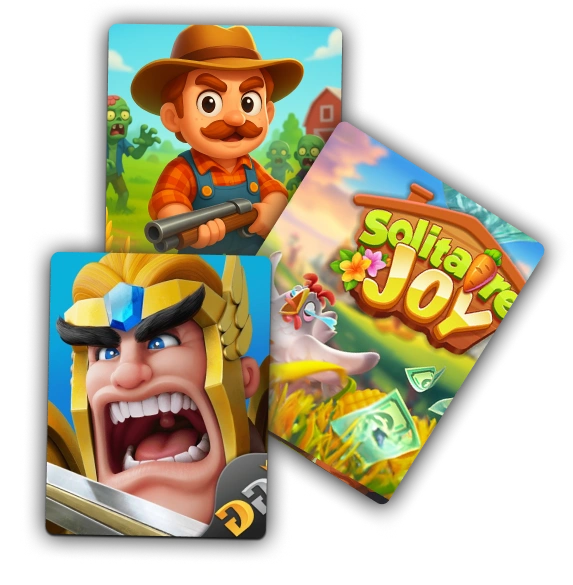
EarnStar pays you real cash for playing mobile games. Open it on iOS, Android, or the web, create a free account, and your $5 welcome bonus lands automatically.
Games are the main way to earn, with surveys and offers as extra routes when you want a change. When your balance is ready, cash out to PayPal or a gift card from $5.
It's spare-time cash from gaming you already do, not a replacement for a paycheck.
How does EarnStar work?
EarnStar pays you real cash for playing mobile games, with surveys and short offers as secondary ways to earn. You can mix all three activities however you like.
- Games do most of the heavy lifting, with a deep catalog of titles to pick from.
- Short surveys give you a change of pace on days you'd rather not play.
- Offers and tasks from partner brands add extra rewards on top.
The reason it can pay you comes down to who's behind the tasks. EarnStar works with advertisers, game developers, and survey companies that want real people trying their products.
Those partners pay EarnStar when you complete an activity. EarnStar then passes part of that money back to you as your reward, which is the loop behind most legitimate rewards apps.
Gaming isn't a niche hobby either. More than 205 million Americans play video games, and 60% of US adults play, so EarnStar pays you for time millions already spend.
How to get started with EarnStar in five steps
Getting started is a five-step run from download to your first game, and none of it costs anything.
- Download EarnStar from the App Store or Google Play, or open it in your browser if you'd rather play on the web.
- Create your free account with an email address. Signing up takes a minute, so create your free EarnStar account and you're in.
- Your $5 welcome bonus lands automatically once your account is set up, with no separate code to enter.
- Head to the games first, since that's where most of your earning will come from.
- Watch your balance build as you play, then cash out whenever you're ready.
The main ways to earn on EarnStar
EarnStar pays for three kinds of activity, though they're not equal earners. Games carry most of the earning, while surveys and offers fill in around them.
Playing games, the main earning path
Games are EarnStar's core, with a deep catalog spanning puzzle, card, arcade, and casual genres. Start with one you'd genuinely enjoy on its own, since you'll stick with it longer and earn more steadily.
Puzzle and card titles tend to be the gentlest entry point if you're new to earning this way.
Vet a game before you pour real time into it.
- Our review of whether Solitaire Smash really pays follows one popular pick from install to payout.
- For a second example, our Pocket7Games review breaks down the checks worth running before you commit.
- If bingo is more your speed, these Bingo Cash tips point you at the right games.
Taking surveys and completing offers
Surveys and offers are the second string, there for the days you want to earn without playing. Surveys ask for your opinion on products, brands, or habits, and each one credits your balance when you finish it.
Offers work a little differently, rewarding you for trying a partner app, starting a free trial, or hitting a milestone in another game, like reaching a set level or finishing a starter task. Neither route matches a good run at the games, though they add up when you have a few spare minutes.
How much can you realistically earn on EarnStar?
For casual play, expect a few dollars a week from short sessions squeezed around your day. You'll earn more only if you lean into offers on top of your games, so treat EarnStar as pocket money rather than a salary.
That framing holds across the whole rewards space. Casual survey users tend to earn only a couple of dollars per hour of active use in NerdWallet's assessment, and per-task pay can come down to pennies for the time you invest.
More than one in four US adults, about 27%, run a side hustle, and the typical one brings in a median of $200 a month, per Bankrate's 2025 survey.
The bigger balances go to people who work the offer walls steadily, week after week. Nobody should expect games alone to carry the total.
To stack EarnStar with other routes, our roundup of other apps that pay the same day covers options that pair well with spare-time gaming.
How to cash out your EarnStar earnings
EarnStar's cash-out minimum is $5, with one exception: your first cash-out unlocks at $20. After that first withdrawal, the bar drops to $5 for every cash-out that follows, and the $5 welcome bonus from signup gives your balance a head start toward that first milestone.
Cash-out methods, PayPal and gift cards
Two routes get your balance out. PayPal sends cash straight to your account, which suits anyone who wants spendable money right away.
Gift cards are the other option, redeemable with popular retailers if you'd rather turn earnings into store credit. Pick this route when you'd spend the money at a store you already use, and our guide to playing games for free gift cards shows how to aim your play at that reward.
For the exact steps to request a withdrawal, the EarnStar Help Center documents the current process from start to finish.
When you get paid
EarnStar processes payouts quickly once you request them, so your balance won't sit in limbo. There's no fixed number of hours published, so treat it as fast rather than an exact clock time.
A few things affect timing on any rewards app, like verifying a first withdrawal or the payment provider's own processing window.
Before you request, pick the payout method you want and double-check the details you've entered. A mistyped PayPal email is a common reason a payment gets held up, so a quick look saves you the wait.
Is EarnStar legit and safe?
EarnStar is a legitimate rewards app that pays real cash for playing games, taking surveys, and completing offers. The stronger habit, though, is knowing how to check any reward app yourself before you trust it.
How to tell a reward app is legit
A few signals separate a real rewards app from a time-waster.
- Payout terms are clear up front, including how you withdraw and what it costs. EarnStar states its cash-out routes and its minimums plainly.
- An official listing exists on the App Store or Google Play, with a track record you can read.
- User reviews should be recent and consistent. Our Solitaire Smash review shows what reading them properly looks like.
- The privacy policy is easy to find and spells out what data is collected and why.
For a fuller walkthrough, our Pocket7Games review applies each of these signals to one game from start to finish.
Keeping your details safe
EarnStar asks for the basics needed to run an account and send your money, like an email address and your chosen payout details. That's normal for any app that pays you.
The red flag to watch for is oversharing. A legitimate reward task never needs your Social Security number, bank account number, or driver's license, as NerdWallet's safety guidance puts it, so leave anything that asks.
Use a strong, unique password and keep the app updated. When it's time to cash out, EarnStar only needs your PayPal email or where a gift card should go, so treat any request for a bank login or card PIN as a reason to stop.
Where to get help on EarnStar
You have four ways to reach EarnStar when something needs sorting. Email is the most direct of them.
There's no live chat, so don't wait for a chat bubble that isn't there.
- Email [email protected] for account, payout, or missing-reward questions.
- The EarnStar Help Center covers common issues with step-by-step fixes.
- A built-in FAQ answers the quick questions without leaving the app.
- In-app announcements flag known issues and updates as they happen.
Email gets you a human for anything the self-serve options don't solve. Start there when a payout or a reward looks off.
Tips to get more out of EarnStar
A few habits stretch what you earn without adding much effort.
- Let the $5 welcome bonus do the early work, since it lands automatically and starts you toward your first cash-out.
- Play a little most days instead of one long session, because steady play keeps you moving through more games.
- Keep one or two surveys or offers in the mix for the days you don't feel like gaming.
- Cash out when it suits you rather than hoarding a balance, since after your first withdrawal the bar is only $5.
None of these promises a windfall.
Your first week on EarnStar, mapped out
Your first week has a natural shape. Day one is signup, your $5 bonus, and finding two or three games you actually like.
Across the next few days, play those in spare moments. Try a survey or an offer too, and you'll quickly see which routes you prefer as your balance grows in the background of a commute or a coffee break.
By the end of the week you'll have a feel for your own pace and a balance building toward your first cash-out. From there, the EarnStar blog has deeper guides on specific games and payout tips to read next.
Frequently Asked Questions
Short answers to the questions new EarnStar users ask most.

Start your first week on EarnStar
EarnStar is free to join, drops a $5 welcome bonus in your balance at signup, and pays out to PayPal or gift cards from $5. Play on iOS, Android, or the web whenever you have a spare few minutes.